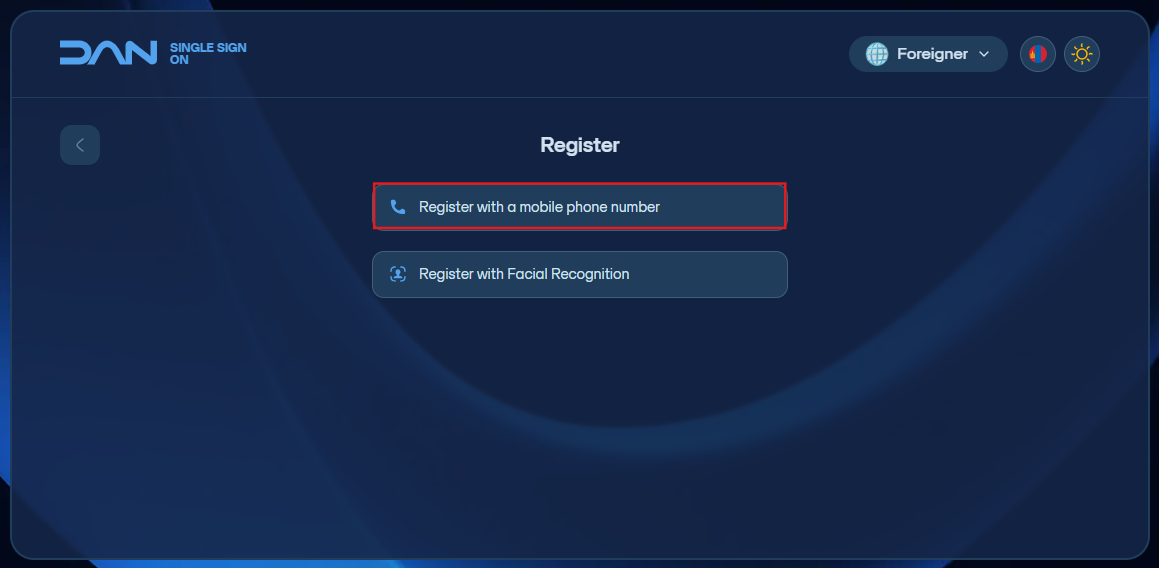
Foreign citizen registration - Гадаад иргэн бүртгүүлэх
- Register with a mobile phone number - Гар утасны дугаараар бүртгүүлэх
Click the “Register as a Foreign Citizen” button to begin registration.
-
Enter your F-register
fromnumber.the -
citizen section to complete the registration. Enter the F-register.Enter a phone number that is registered
in Mongoliaunder yourname.nameThenincreateMongolia.and -
Create a new login
password.passwordItthatshouldincludesbeletters, numbers, and symbols, and is 8–20 characters long.and include letters, numbers, and symbols, andRe-enterittheagainpasswordfortoconfirmation.confirm.By -
Agree to the
termsTerms ofserviceService andcontinuing,clicksendContinue.theA 6-digit codethatwillappearsappear on the screen — send this code viamessageSMS to 130092 to verify your registration. -
After
theregistration iscreated,complete, you can log in with a one-time code sent to your phonenumber andnumber, then set up Google/MS Authenticatortoforlogtwo-factorinauthenticationusing(2FA)2FA.login.